Aller au contenu principal
AI and invoicing

Invoicing software with AI: Novadesko talks to Claude, ChatGPT and Gemini

Ask for your revenue, have a quote or a reminder prepared, check a client's Peppol status: all of it now happens from your AI assistant. Novadesko publishes an official MCP connector, the same one for Claude, ChatGPT and Gemini. This page explains what MCP is in plain words, what AI really does in Belgian invoicing, and what stays in your hands.

Invoicing with AI and MCP

The short answer

What is invoicing software with AI?

Software whose data an AI assistant can read and whose documents it can prepare, without ever saving anything without you. Novadesko does it through the Model Context Protocol: one address to paste, https://mcp.novadesko.com, valid for Claude, ChatGPT and Gemini.

Connector address
https://mcp.novadesko.com, identical for all three assistants
Connection
OAuth 2.1 with PKCE, automatic client registration, never a shared password
Peppol
The AI checks the status and prepares invoices, sending through Peppol stays manual
Price
No Novadesko surcharge today, the AI subscription is paid to its provider

The Model Context Protocol, explained simply

The Model Context Protocol, MCP for short, is a standard socket between an AI assistant and a piece of software. Instead of pasting your figures into a chat window, you plug the assistant into your account: it receives a list of precise tools, such as reading a client record or preparing an invoice, and nothing else.

On the Novadesko side, that socket is called https://mcp.novadesko.com. You paste it once into Claude, ChatGPT or Gemini, you grant access on a Novadesko page, and the assistant works on your invoicing within the limits you set.

The same tools already power Nova AI, the assistant built into Novadesko. The MCP connector simply opens them up to the assistants you use elsewhere.
Why an official connector rather than copy and paste

Pasting a spreadsheet extract into a chatbot works for five minutes. The figures age the moment they leave, they leave without any framework, and nobody keeps track of what the AI did with them. The official connector takes the opposite path: it fetches the data at the source, under rights you chose, and every action leaves a trace.

What changes Copy and paste into a chatbot Official MCP connector
Rights No framework, everything ends up in the conversation Reading always, creating and sending only if you tick them
Freshness The figures date from the last export The assistant reads the account live
Preview Nothing protects you from a badly prepared invoice Preview valid for 30 minutes, then explicit confirmation
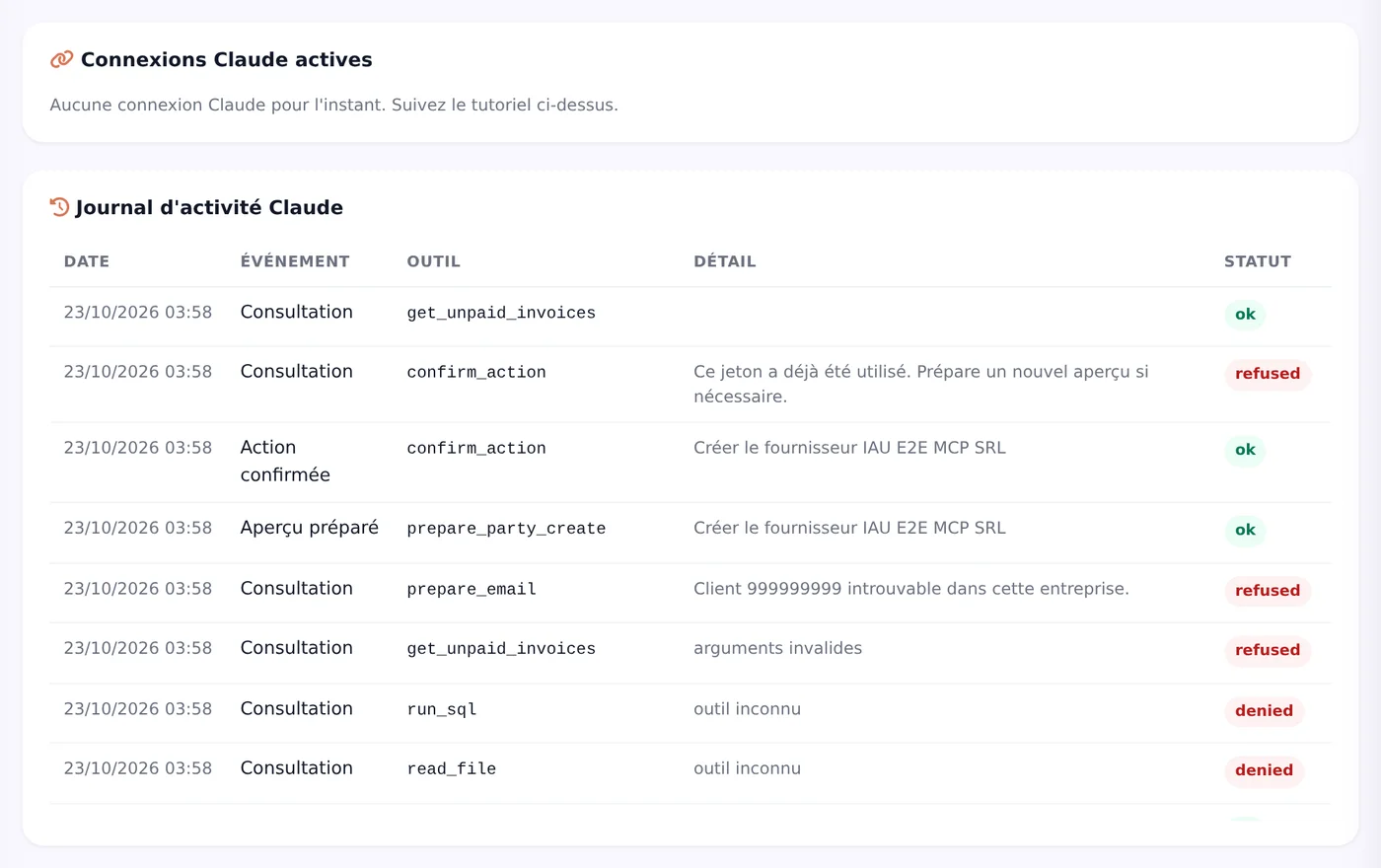
Log No trace of what was shared Activity log visible inside Novadesko
Revocation What has left cannot be taken back Revoke button, immediate effect
Scope Everything you paste A single authorised company
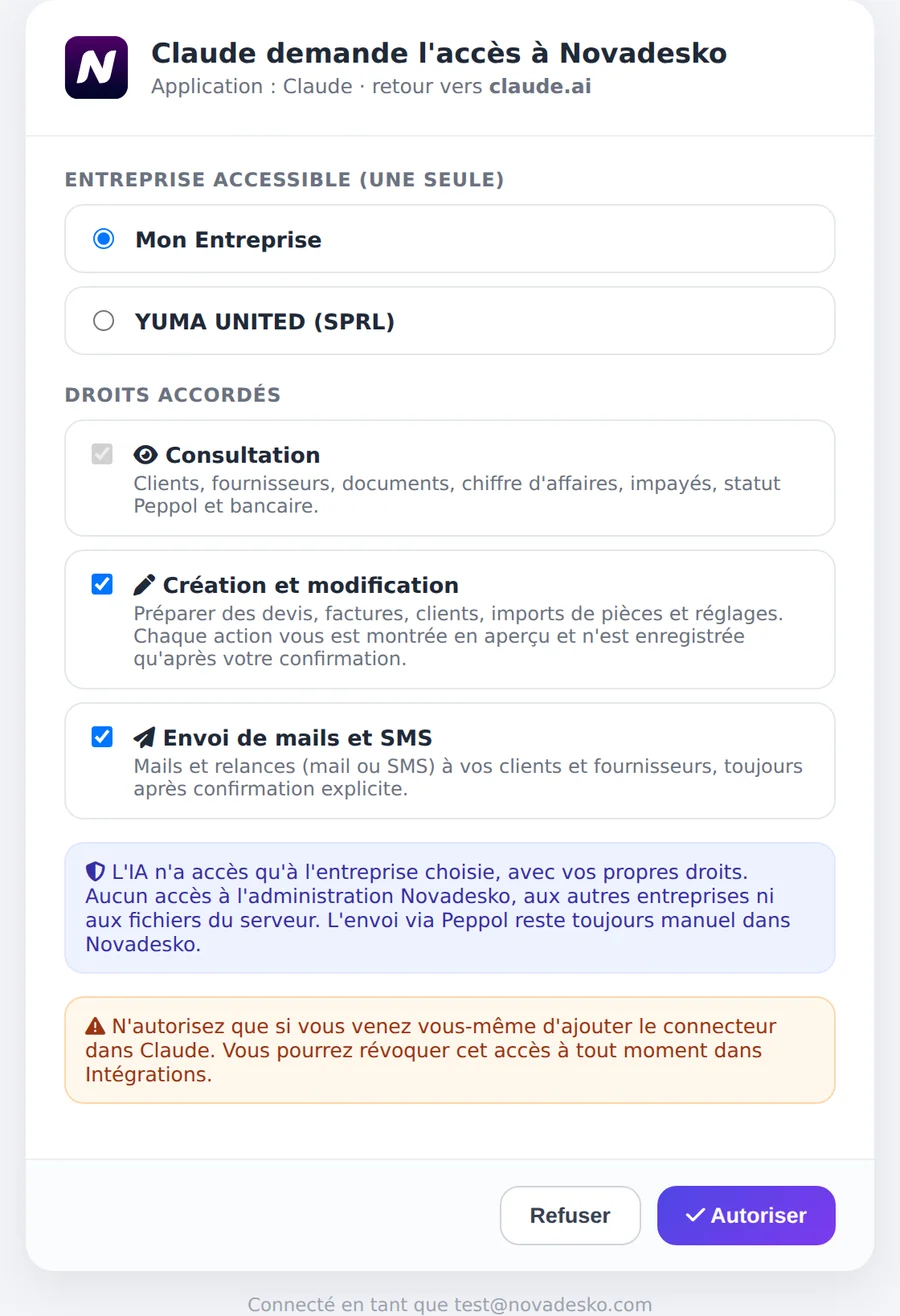
Novadesko consent page with the choice of company and granted rights, screenshot of the application in French

Connecting: the same path for all three assistants

Two minutes is enough, whichever assistant you choose. The walkthrough for each one sits on its dedicated page, a little further down.

  1. Step 1

    Add the connector

    In the settings of Claude, ChatGPT or Gemini, add a custom connector and paste the address https://mcp.novadesko.com. Client registration happens on its own.

  2. Step 2

    Choose your company

    A Novadesko page opens in your browser. There you pick a single company: the assistant will never see another one.

  3. Step 3

    Tick the rights

    Reading is always granted. Creating and editing, then sending emails and text messages, only go through if you tick them. Your password never leaves Novadesko.

  4. Step 4

    Ask your first question

    Ask for this month's revenue or the list of unpaid invoices. The answer lands in the chat, figures included.

What AI does, and does not do, in Belgian invoicing

Since 1 January 2026, electronic invoicing through Peppol has been mandatory between businesses in Belgium. AI has its place there, but not the whole place: it checks your clients' Peppol status and prepares the invoices, while sending on the network remains a manual step inside Novadesko.

What the assistant can do

  • Answer about the revenue of a period, with comparison, best clients and best products.
  • List unpaid invoices and prepare reminders by email or text message.
  • Check the Peppol status, the accounting sync (WinAuditor, WinBooks Connect, Horus and others), the bank sync or the SMS credits.
  • Analyse VAT, purchases, fixed costs, stock and projections.
  • Prepare a quote, an invoice, a credit note, a purchase order, a receipt, a proforma, a client or supplier record, a received payment, or the import of a purchase invoice it has read.
  • Prepare a Peppol request for the team or a support ticket.

What it will never do

  • Send an invoice through Peppol: sending stays manual inside Novadesko.
  • Save or send anything without your explicit confirmation.
  • Access another company than the authorised one, the administration area or your files.
  • Delete your account.

Between the two sits the preview. Every creation, change or sending first produces a preview, often a PDF, valid for thirty minutes. You check, you confirm, and a single-use token carries out the action. The legal invoice number is only assigned at that very moment.

Claude, ChatGPT or Gemini: where it works today

The connector is the same, the access differs from one assistant to another. Each dedicated page gives the full walkthrough.

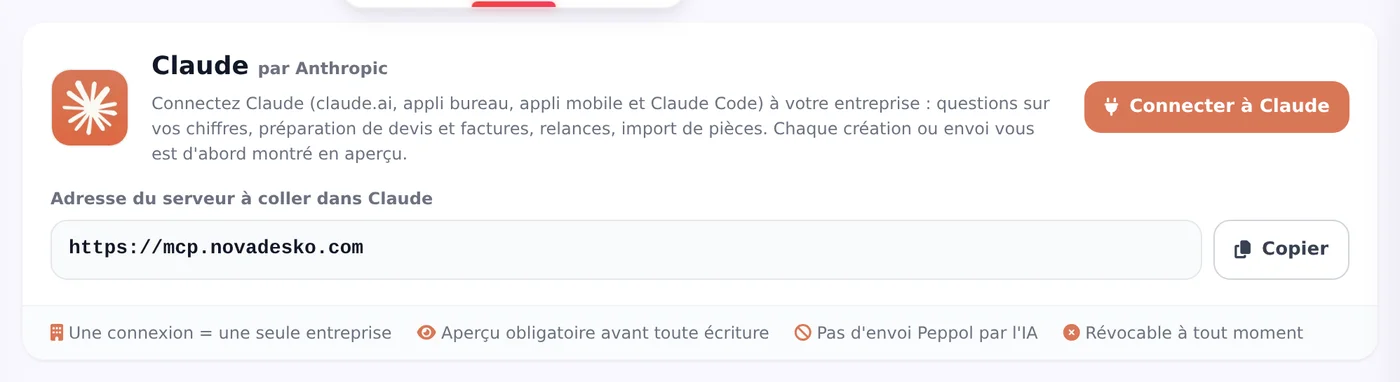
Claude conversation connected to Novadesko, screenshot of the application in French

Novadesko and Claude

On claude.ai, in the desktop and mobile apps, in Claude Code and on the Team and Enterprise plans. Add the connector once and it follows your account everywhere.

See the walkthrough
ChatGPT conversation connected to Novadesko, screenshot of the application in French

Novadesko and ChatGPT

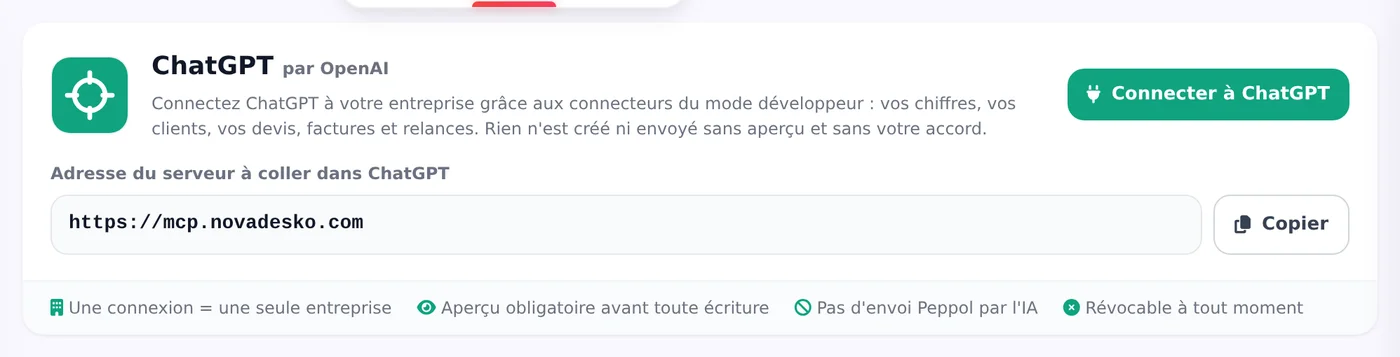
Through OpenAI's developer mode: you add the connector with the address alone, no client ID, and ChatGPT confirms each action before the Novadesko preview takes over.

See the walkthrough
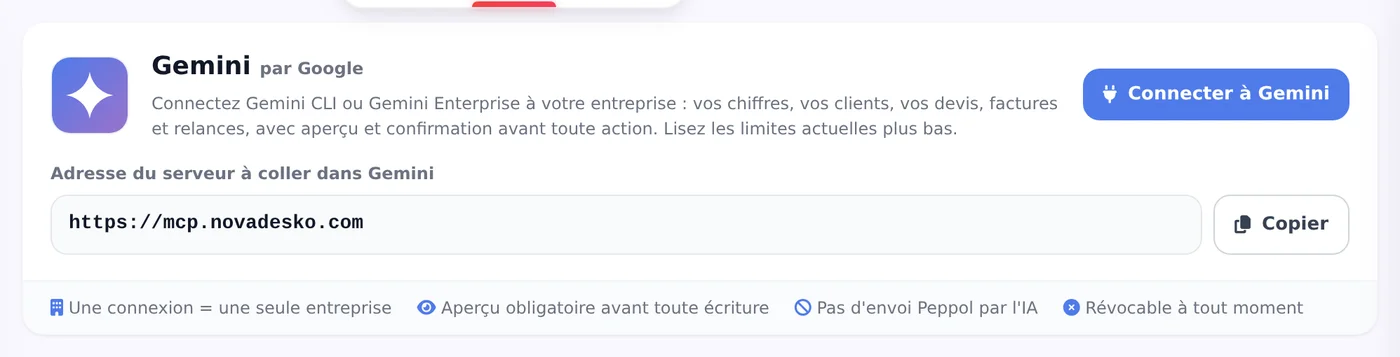
Gemini conversation connected to Novadesko, screenshot of the application in French

Novadesko and Gemini

In Gemini CLI two commands are enough, and Gemini Enterprise accepts the custom connector. The consumer app does not yet accept custom connectors in Belgium.

See the walkthrough

Security: log, revocation, privacy

Every connection has its activity log, visible in Novadesko under Integrations. Any doubt about an access? The Revoke button cuts it off immediately.

Novadesko does not store your conversations: it only receives the tool requests the assistant sends it. The conversation itself stays with Anthropic, OpenAI or Google, under the terms of your subscription.

Healthy usage limits

Limit Value
Calls per minute per connection 120
Calls per minute per company 400
Confirmations per hour 30
Log of AI connections inside Novadesko, screenshot of the application in French

How much does it cost?

Today the connection requires no particular plan and no Novadesko surcharge. The assistant follows the rules of your plan: a feature it does not include is politely declined, with the smallest plan that contains it and its price. The details sit on the pricing page.

The subscription to the AI itself is paid to its provider: Anthropic for Claude, OpenAI for ChatGPT, Google for Gemini.

See Novadesko pricing

Frequently asked questions

What is MCP invoicing software?

Software that exposes its features to AI assistants through the Model Context Protocol. Novadesko publishes an official connector at https://mcp.novadesko.com: Claude, ChatGPT and Gemini plug into it over OAuth 2.1 with PKCE, without any shared password.

Can the AI send my invoices through Peppol?

No. It checks the Peppol status and prepares the invoice, preview included, but sending on the Peppol network remains a manual step inside Novadesko. As a reminder, electronic invoicing has been mandatory between Belgian businesses since 1 January 2026.

Which assistant should you pick: Claude, ChatGPT or Gemini?

All three use the same connector and the same tools. Claude covers the web, desktop, mobile, Claude Code and the team plans. ChatGPT goes through OpenAI's developer mode. Gemini works through Gemini CLI and Gemini Enterprise, not yet through the consumer app in Belgium.

Is my data safe?

You authorise a single company and precise rights, without ever handing over your password. Every write asks for your confirmation on a preview valid for thirty minutes, the activity log is visible inside Novadesko and the Revoke button cuts the access on the spot.

Does the connection cost anything?

Today it requires no particular plan and no surcharge. The assistant respects your Novadesko plan: a feature that is not included is politely declined, with the smallest plan and its price. The subscription to the AI is paid to Anthropic, OpenAI or Google.

Does Novadesko read my conversations with the AI?

No. Novadesko only receives the tool requests, never the thread of the conversation. That stays with the assistant's provider, under its own terms.

To go further

Plug your assistant into real invoicing

Create your Novadesko account, paste https://mcp.novadesko.com into Claude, ChatGPT or Gemini and ask for this month's revenue. Fourteen days of trial to judge for yourself.

Novadesko Support

…

Hello!

How can we help you?

Received a letter?

Novadesko Support